AI companion memory is the reason one companion feels like it knows you and another greets you like a stranger after a weekend away. Every app uses the same basic ingredients: a limited window of recent chat, a set of saved facts, and a long-term system that pulls older details back when they matter. What changes is how much of that each app gives you, and how much you can see and edit. This guide explains how AI companion memory works in plain terms, then walks through what Nomi AI, Kindroid, SpicyChat, Character.AI, Replika and Janitor AI each document about their memory tools, based on their official help pages.
What AI Companion Memory Really Means
When people say an AI companion "remembers", they usually mean three different things at once:
- It keeps track of the scene you are in right now.
- It holds on to facts you told it, such as your name, your job or your partner's name.
- It brings back an older moment, like a trip you described weeks ago, at the right time.
Large language models don't store your chats the way a diary does. On each reply, the app builds a prompt from the character's definition, your recent messages and any memories it has chosen to include, and the model writes a response from that. Anything outside the prompt is invisible to the model for that reply. So the practical question for any AI companion memory system is simple: how does the app decide what goes into that prompt?
The Three Layers of AI Companion Memory
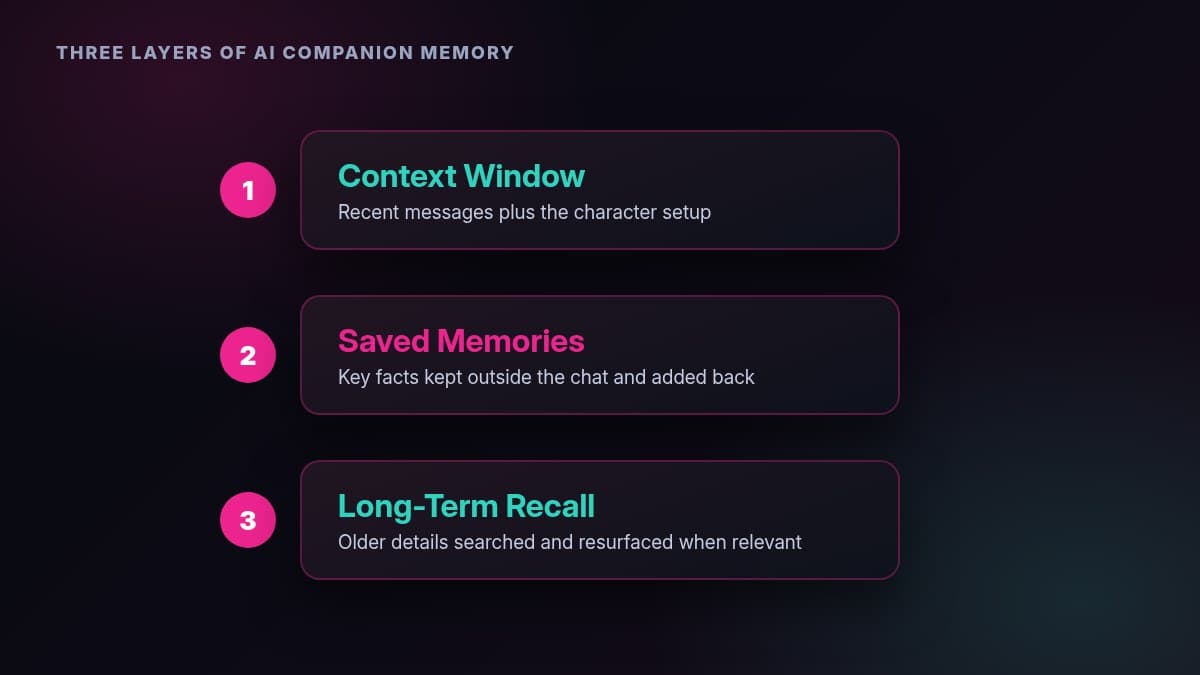
Most companion apps stack memory in three layers. The names differ, but the jobs are the same.
Context Window
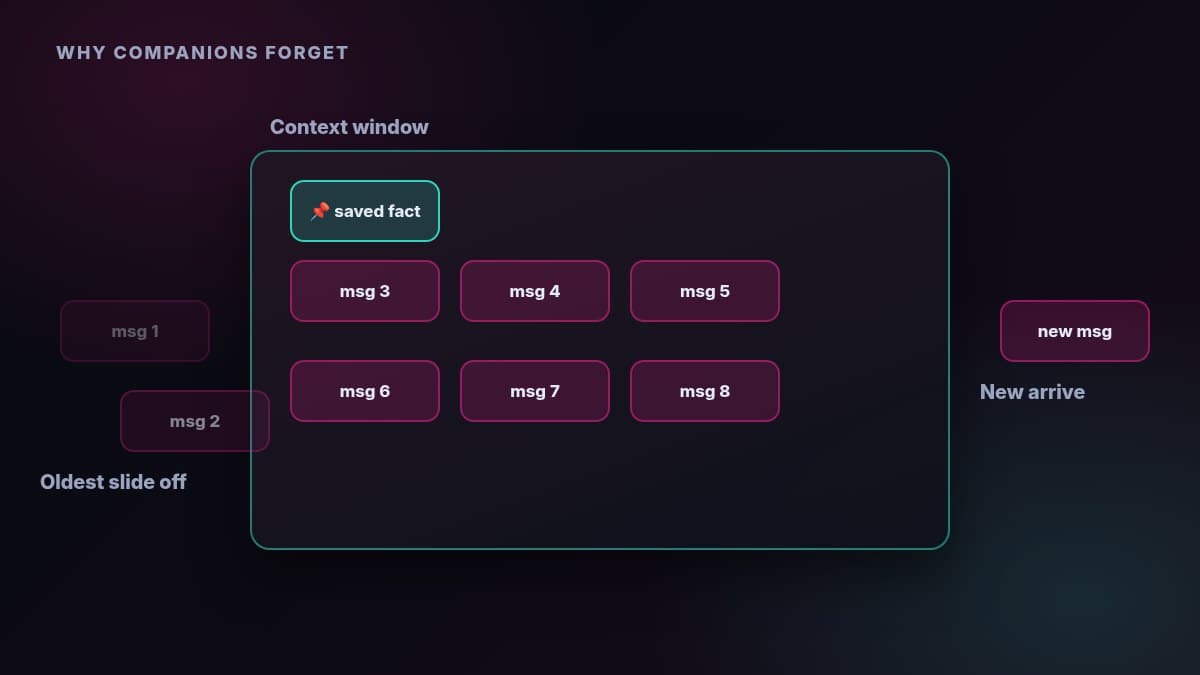
The context window is the amount of text the model can see at once. SpicyChat's help centre describes it as a desk with limited space: the character definition, your recent messages, the character's replies and the generation instructions all share it, and when the desk fills up, the oldest messages fall off. Its own example is useful: with a 1,000-token character definition and 150-token messages, a 4,096-token window holds roughly 20 recent messages.
Saved Memories
Saved memories are short facts the app keeps outside the chat log and adds back into the prompt. Some apps write them automatically, some let you write them yourself, and many do both. Examples include Kindroid's Key Memories, SpicyChat's Memory Manager, Character.AI's Story Memory and pins, and Replika's Memory tab.
Long-Term Recall
Long-term recall is the system that searches older history and pulls the most relevant pieces back in. SpicyChat's Semantic Memory 2.0 summarises past messages into compact memories and retrieves the most relevant ones for each reply. Nomi AI describes medium-term and long-term memory layers, and Kindroid's paid plans add Cascaded Memory for medium-term recall.
How Each App Handles Memory
Nomi AI
Nomi AI is built around memory. Its wiki describes short-term memory for detailed context in the current conversation, medium-term memory for continuity across longer conversations, and long-term memory that preserves important information and shared experiences over time.
Three extra systems sit on top:
- Backstory+: information and guidance you write directly.
- Identity Core: your Nomi AI companion's own developing sense of who it is. Nomi AI says it is managed internally, so you shape it through conversation rather than editing it.
- Mind Maps: a living overview of people, places, topics and goals drawn from long-term memories, with a graph view and a searchable table where you can edit and add entries. Each one-to-one chat and group chat has its own private Mind Map, and Nomi AI says the first version can take around 500 messages to form.
Nomi AI is also direct about expectations: having a memory stored doesn't mean it will be recalled at every moment, and a specific reminder helps it find the right context. For the full picture, see our Nomi AI review.
Kindroid
Kindroid gives you the most hands-on controls. You write the personality and backstory fields yourself, add Key Memories you want kept in view, and paid plans add Cascaded Memory for human-like medium-term recall plus enhanced long-term memory and journal recall. Optional Ultra and MAX add-ons sit on top of Standard and extend the context Kindroid can hold.
The result suits people who like to curate. If a detail matters, you can put it where Kindroid will always see it. Our Kindroid review covers the plans and memory tiers in more detail.
SpicyChat
SpicyChat documents its memory more openly than most roleplay sites. Its context window grows by tier: 4,096 tokens on Free and Get A Taste, 8,192 on True Supporter and 16,384 on I'm All In, according to its help centre.
Two tools extend that:
- Memory Manager: on paid tiers, you can add, edit, delete and pin memories inside any chat. Each memory is limited to 250 characters.
- Semantic Memory 2.0: from True Supporter up, the character writes compact memories from your chat and pulls the most relevant ones into each reply, so details survive after the original messages leave the context window.
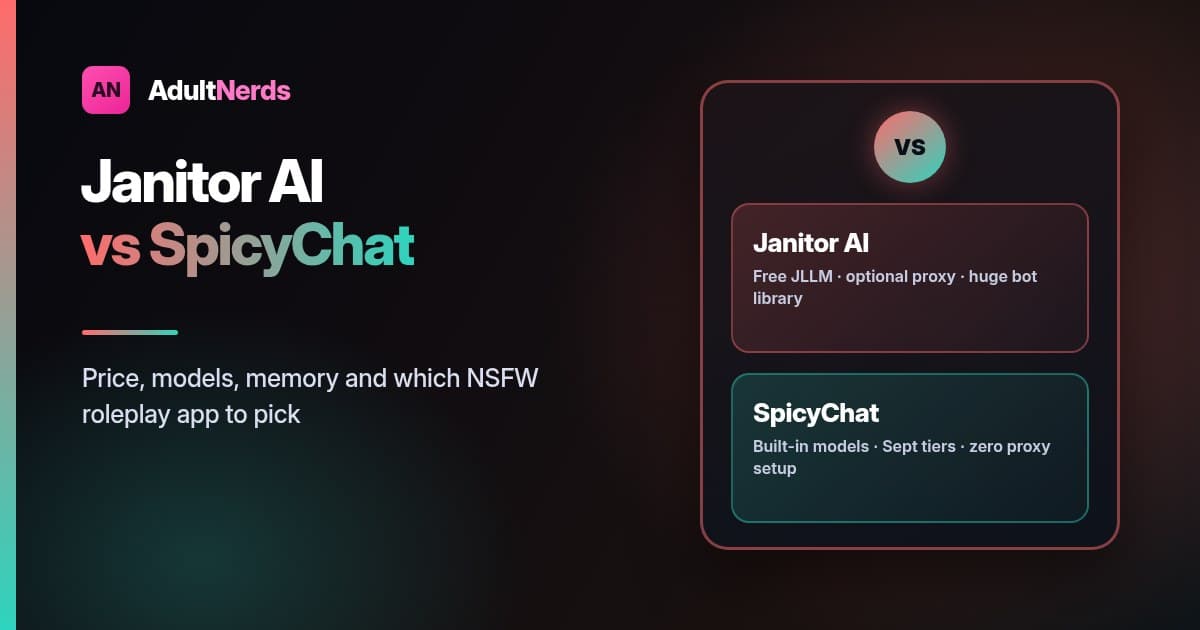
Read our SpicyChat review for the tier-by-tier breakdown, or the Janitor AI vs SpicyChat comparison if you are choosing between the two.
Character.AI
Character.AI has moved from a single memory box to a full Memory screen. Every user gets Story Memory, a place for backstory and key events, and can pin messages into it. Its plan comparison lists 15 pins on the free plan and 30 on c.ai lite and c.ai+. Facts, which captures details about your persona, the character and side characters automatically, is a c.ai+ feature, and Memory Usage shows what is filling the chat's memory. Character.AI says anything you write into Story Memory or pin yourself stays protected as the chat grows.
If you are leaving Character.AI for adult roleplay, our Character.AI alternatives guide compares where to go next.
Replika
Replika describes its memory as layered. Some memories appear in the Memory tab, where you can read, add or remove facts about you, your pets and the people in your life. Others come from a deeper system that learns your personality and preferences from your conversations over time, and Replika says upvoting a correct memory helps reinforce it. Its help centre also notes that chat history is viewable for the past four months, while learned memories and diary entries stay available beyond that. For apps with deeper memory tools, see our Replika alternatives roundup.
Janitor AI
Janitor AI keeps memory simple. Its free JLLM model works with a context limit of around 9,000 tokens, and the janitor+ plan adds five times the free context. Its help centre suggests a tidy Chat Memory note and regular summaries to keep long stories on track, and says most bots work best with under 1,500 tokens of permanent setup. If you connect an outside model through a proxy, the memory window depends on that model.
AI Companion Memory Compared
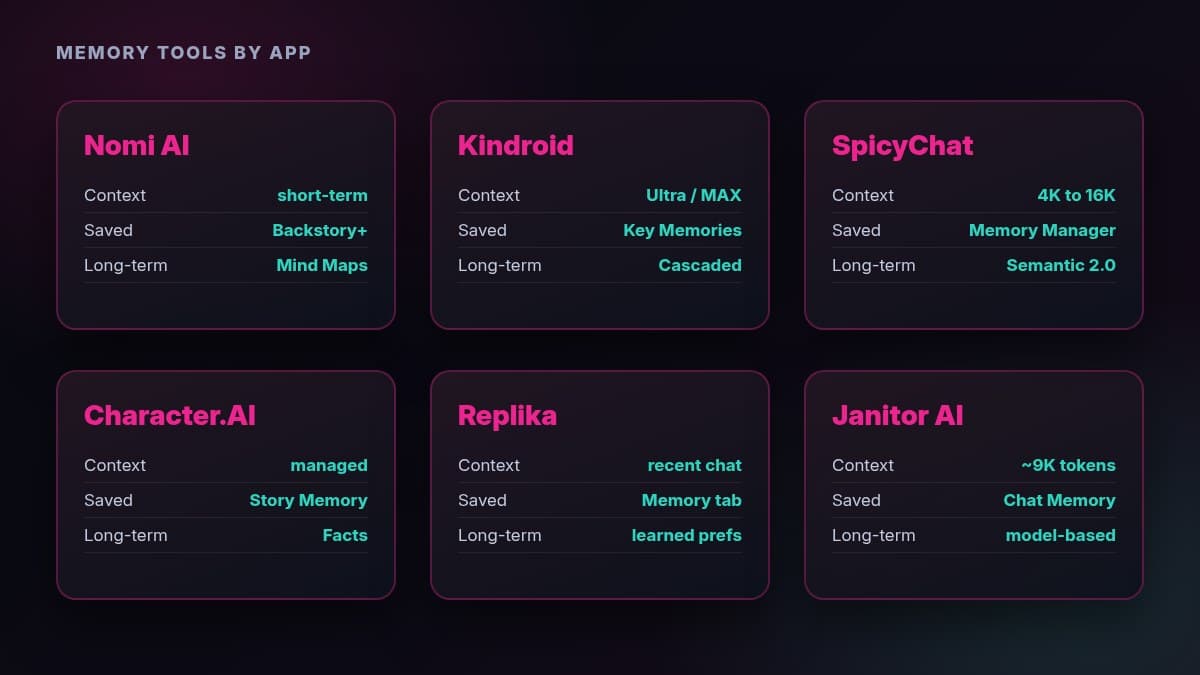
App | Context or Short-Term | Saved Memories You Control | Long-Term Recall |
|---|---|---|---|
Nomi AI | Short-term memory for the current chat | Backstory+, editable Mind Map entries | Medium and long-term memory, Identity Core, Mind Maps |
Kindroid | Larger on Ultra and MAX add-ons | Personality, backstory and Key Memories | Cascaded Memory on paid plans, long-term memory and journals |
SpicyChat | 4K free, 8K True Supporter, 16K I'm All In | Memory Manager on paid tiers | Semantic Memory 2.0 from True Supporter |
Character.AI | Managed by Memory, older context tidied | Story Memory, 15 pins free, 30 on paid plans | Facts on c.ai+ |
Replika | Recent conversation | Memory tab you can add to and edit | Learned preferences and diary entries |
Janitor AI | About 9,000 tokens on JLLM, five times more on janitor+ | Chat Memory note | Depends on the model you connect |
Why Your AI Companion Forgets
Forgetting usually comes down to one of four things:
- The detail fell out of the context window. Long scenes push older messages off the desk, which is why long roleplays drift.
- The character definition is too long. A huge personality or example dialogue eats into the space left for your conversation. SpicyChat suggests keeping character setup concise, often around 800 to 1,100 tokens.
- Retrieval picked something else. Long-term systems choose the most relevant memories for each reply, and a vague question can surface the wrong one.
- The fact was never saved. If a detail came up once in passing, there may be no memory of it to recall.
How to Improve AI Companion Memory
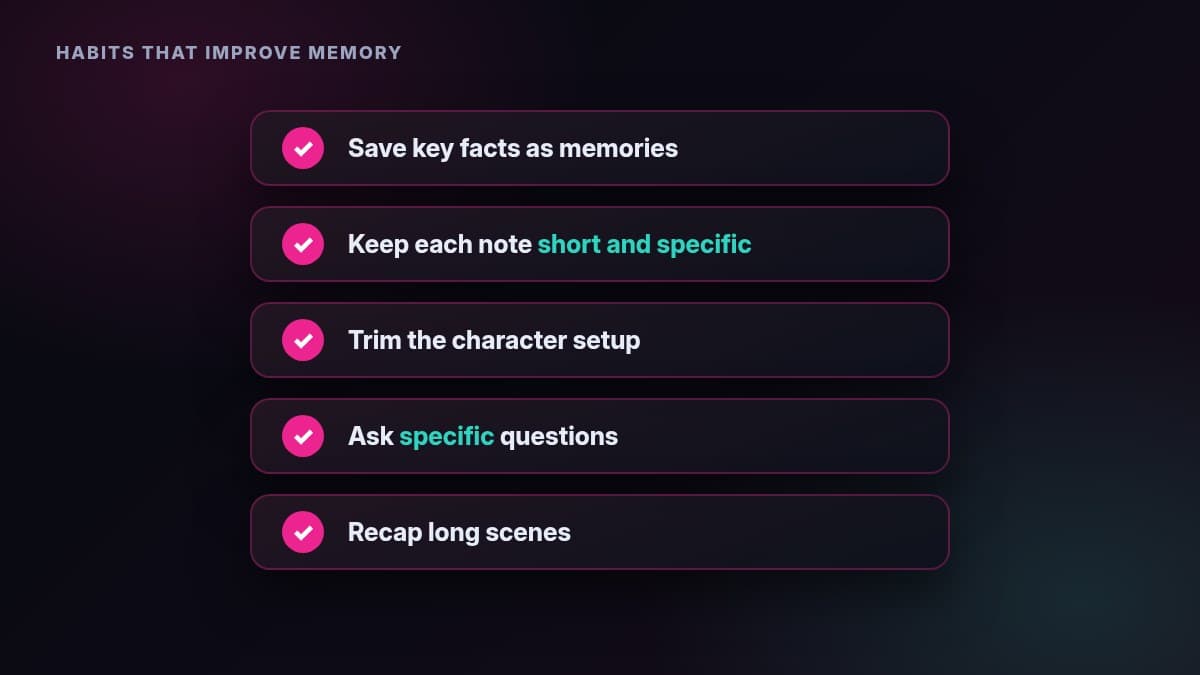
These habits work across almost every app:
- Save what matters: put names, relationships and ongoing plots into Key Memories, the Memory Manager, Story Memory or the Memory tab.
- Keep memories short and specific: Character.AI recommends short, direct notes about routines, relationships and preferences, and SpicyChat caps each memory at 250 characters.
- Trim the character definition: shorter setups leave more room for the actual conversation.
- Ask specific questions: Nomi AI suggests asking about a particular topic, such as a conversation about moving to a new city, rather than "what did we talk about last month?"
- Correct mistakes clearly: restate the right detail, edit the saved memory, or upvote the correct answer where the app offers it.
- Summarise long scenes: a short recap every so often keeps key details inside the window.
- Match the plan to your habit: if you write long stories, a tier with a bigger context window and long-term recall makes the biggest difference.
Memory and Privacy
Memory means storage. The more an app remembers, the more personal detail sits on its servers, so treat saved memories like anything else you share online. Keep real full names, addresses and workplace details out of chats, and use each app's tools to review what it has saved. Replika's Memory tab, SpicyChat's Memory Manager, Character.AI's Facts and Nomi AI's Mind Map table all let you see and edit stored details. For how these apps handle identity checks, read our guide to AI companion age verification.
Which App Has the Best Memory for You?
- Nomi AI: best if you want memory that builds on its own over time, with Mind Maps to see what it knows.
- Kindroid: best if you want to decide exactly what your companion keeps in view.
- SpicyChat: best for long roleplays where you want to manage memories line by line.
- Character.AI: best for safe-for-work stories with pinned moments and Story Memory.
- Replika: best for a casual companion that learns your preferences in the background.
- Janitor AI: best if you want free chats and are happy to manage context yourself.
For a wider comparison of companions, see our guide to the best AI girlfriend apps.
Frequently Asked Questions
How Does AI Companion Memory Work?
Each reply is written from a prompt that combines the character's definition, recent messages and any saved or retrieved memories. Recent messages sit in the context window, saved facts are added back in, and long-term systems search older history for details that fit the current moment.
Why Does My AI Companion Forget Things?
Usually because older messages fell out of the context window, the character definition took up too much space, or the detail was never saved as a memory. Saving key facts and asking specific questions helps.
Which AI Companion Has the Best Memory?
Nomi AI and Kindroid document the most detailed memory systems. Nomi AI builds memory automatically with Mind Maps and an Identity Core, while Kindroid gives you editable Key Memories and Cascaded Memory on paid plans.
Can I Edit What My AI Companion Remembers?
Yes, in most apps. Kindroid lets you edit Key Memories and personality fields, SpicyChat's Memory Manager lets you add, edit, pin and delete memories, Character.AI has Story Memory and Facts, Replika has a Memory tab, and Nomi AI lets you edit Mind Map entries.
Does Paying Improve AI Companion Memory?
Often, yes. SpicyChat's context window doubles from 4K to 8K tokens on True Supporter and reaches 16K on I'm All In, Kindroid adds Cascaded Memory on paid plans and more context on Ultra and MAX, Character.AI gives paid plans more pins, and Janitor AI's janitor+ adds five times the free context.
Is It Safe to Share Personal Details With an AI Companion?
Share with care. Saved memories are stored by the app, so keep identifying details such as your full name, address and workplace out of chats, and review and delete saved memories you no longer want kept.